
Minebrew1.7.0 - App Store
You'll be able to see results in few seconds.
Publisher Description
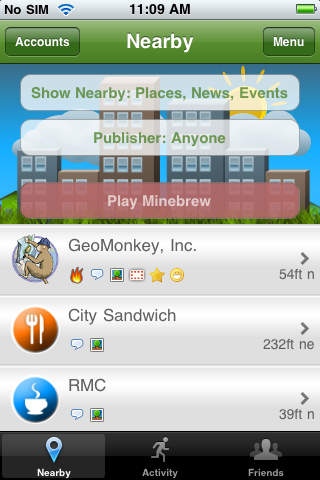
* Streetbrew Games brings you Minebrew:
* Features the complete Streetbrew client
* Enjoy classic minesweeper in a social setting! The premise: A nefarious organization has littered a small town with explosive devices! The evacuation is well under way, but the bomb squad has yet to arrive at the scene. Equipped only with a primitive bomb detector and your own wits, you've been tasked with marking the bombs so they can be avoided by the escaping townsfolk... Complete puzzles of various difficulties and post your winning times to the places you visit. Send your scores to Facebook and Twitter so your friends can see where you're playing and how you're faring. Players may infuse their minebrew with shots of frustresso to increase the level of difficulty. The difficulty ranges from a 10x10 board with 20 mines, to a 20x20 board with 80 mines. The harder the puzzle, the more points you score when you play at a wall. Note: Tap and hold a square to drop a flag. Tap the gray button to zoom out and see how you're doing. To learn more, visit us on the web at Streetbrew.com.
Requires iOS 3.1 or later. Compatible with iPhone, iPad, and iPod touch.
About Minebrew
The company that develops Minebrew is GeoMonkey Inc. The latest version released by its developer is 1.7.0.
To install Minebrew on your iOS device, just click the green Continue To App button above to start the installation process. The app is listed on our website since 2010-08-31 and was downloaded 0 times. We have already checked if the download link is safe, however for your own protection we recommend that you scan the downloaded app with your antivirus. Your antivirus may detect the Minebrew as malware if the download link is broken.
How to install Minebrew on your iOS device:
- Click on the Continue To App button on our website. This will redirect you to the App Store.
- Once the Minebrew is shown in the iTunes listing of your iOS device, you can start its download and installation. Tap on the GET button to the right of the app to start downloading it.
- If you are not logged-in the iOS appstore app, you'll be prompted for your your Apple ID and/or password.
- After Minebrew is downloaded, you'll see an INSTALL button to the right. Tap on it to start the actual installation of the iOS app.
- Once installation is finished you can tap on the OPEN button to start it. Its icon will also be added to your device home screen.
Program Details
System requirements
Download information
Pricing
Version History
version 1.7.0
posted on 2010-08-31
Disclaimer
Official App Store Link
We do not host Minebrew on our servers. We did not scan it for viruses, adware, spyware or other type of malware. This app is hosted by Apple and passed their terms and conditions to be listed there. We recommend caution when installing it.
The App Store link for Minebrew is provided to you by apps112.com without any warranties, representations or guarantees of any kind, so access it at your own risk.
If you have questions regarding this particular app contact the publisher directly. For questions about the functionalities of apps112.com contact us.
